


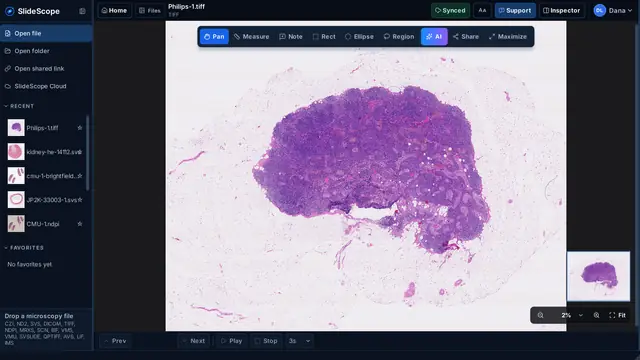
बड़ी स्लाइड में आसानी से नेविगेट करें।
पूरे दृश्य और रुचि के क्षेत्रों के बीच जाएँ। बारीकियाँ देखते समय स्लाइड में अपनी स्थिति का ध्यान रखें।
कोई भी माइक्रोस्कोपी स्लाइड खोलें कुछ ही सेकंड में।
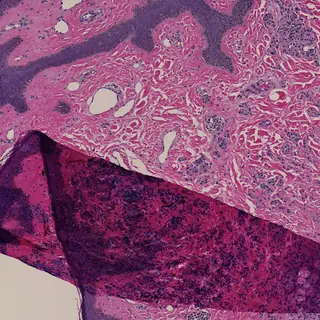
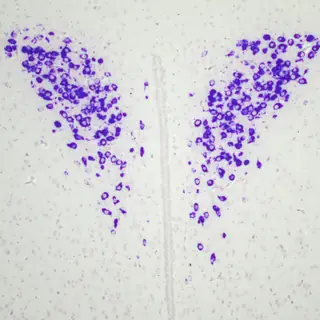
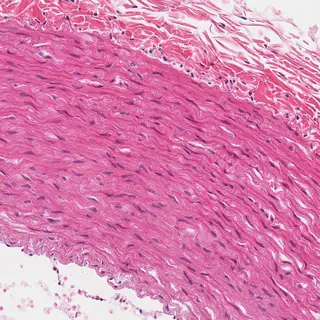
न निर्माता का सॉफ़्टवेयर, न कन्वर्ज़न, न प्लग-इन। Zeiss, Nikon, Leica, Hamamatsu, Philips TIFF, 3DHISTECH और अन्य की ब्राइटफ़ील्ड, फ़्लोरेसेंस, कॉन्फ़ोकल या होल-स्लाइड फ़ाइल बस खींचकर डालें — 34 फ़ॉर्मैट, एक तेज़ ऐप।


SlideScope इंस्टॉल करने के लिए Downloads फ़ोल्डर से डाउनलोड की गई फ़ाइल खोलें, फिर अपनी पहली छवियाँ खोलें। किसी खाते की ज़रूरत नहीं।
शुरू नहीं हुआ? फिर से कोशिश करेंSlideScope शोधकर्ताओं, शिक्षकों, प्रयोगशालाओं और पैथोलॉजी टीमों को Windows और macOS पर CZI, ND2, SVS, DICOM और TIFF फ़ाइलें देखने के लिए एक केंद्रित कार्यस्थल देता है।
भारी इमेज-मैनेजमेंट प्लेटफ़ॉर्म की लागत या जटिलता के बिना कैलिब्रेटेड माप, सटीक एनोटेशन, साझा स्लाइड और AI-सहायित विश्लेषण का उपयोग करें।
मुफ़्त प्रीव्यू: बिना खाते के अपनी अधिकतम 5 स्थानीय छवियाँ खोलें, मापें और उन पर नोट्स जोड़ें। कार्ड की ज़रूरत नहीं।
फ़ाइल खोलना, देखना, मापना और परिमाणन सब कुछ स्थानीय रूप से होता है। अपलोड करने की ज़रूरत नहीं।
AI Analysis केवल मौजूदा फ़्रेम का संपीड़ित दृश्य भेजता है और पहली बार से पहले अनुमति माँगता है।
खोलें, नेविगेट करें, मापें और एनोटेशन जोड़ें। माइक्रोस्कोपी का रोज़मर्रा का काम, एक डेस्कटॉप ऐप में।
पूरे दृश्य और रुचि के क्षेत्रों के बीच जाएँ। बारीकियाँ देखते समय स्लाइड में अपनी स्थिति का ध्यान रखें।
अलग-अलग माइक्रोस्कोप और स्कैनर की इमेज एक समान कार्यक्षेत्र में देखें।
चैनल जाँचें, कैलिब्रेटेड माप लें, एनोटेशन जोड़ें और संबंधित स्लाइड की तुलना करें।
आप जिन फ़ाइलों का उपयोग करते हैं, उनसे शुरुआत करें। उन्हें अपने काम में शामिल करने से पहले सपोर्ट और ज़रूरी सीमाएँ जाँचें।
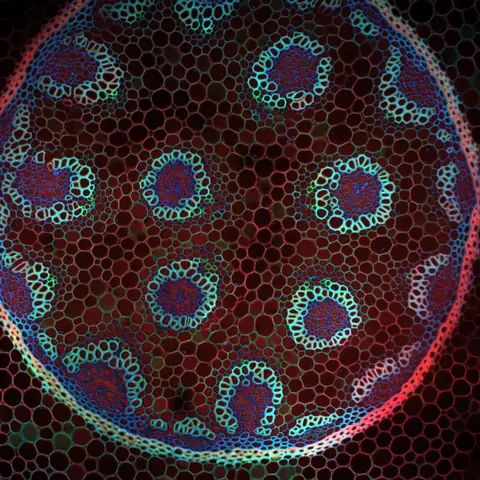
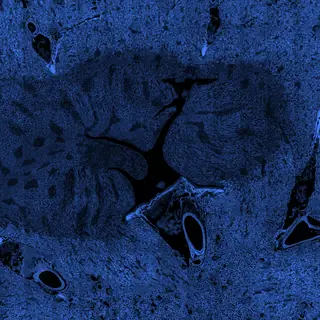
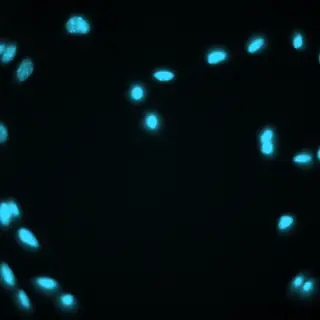
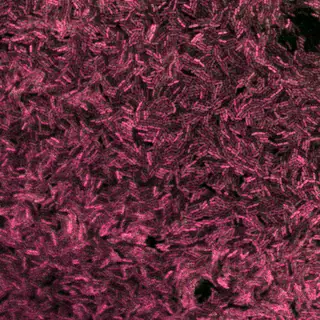
ऊपर की छवियाँ: IMS: Dave Mason, CC BY 4.0 CZI: Stephan Wagner-Conrad (Zenodo 10577186), CC BY 4.0 ND2: Aryeh Weiss, CC BY 4.0 ND2: hfriedman97 (Zenodo 10277961), CC BY 4.0 LIF: Nicolas Chiaruttini, CC BY 4.0 DICOM: NCI Imaging Data Commons, CC BY 4.0 NDPI, TIFF, SVS: OpenSlide test data, CC0
SlideScope made it much easier for our lab to open CZI and ND2 files without jumping between different tools. The interface is simple, the zoom and navigation feel smooth, and the AI Analysis panel is surprisingly helpful when we need a quick explanation of what we are looking at.
Very practical viewer for day-to-day microscopy work. I mainly use it to review large SVS slides, check metadata, and export views for collaboration. It feels lightweight, focused, and much faster to explain to new team members than the heavier software we used before.
What I like most is that SlideScope does not try to be complicated. I can drag in a microscopy file, move through slices, measure areas, and get a clear AI-generated description when I need context. It saves time, especially when reviewing images with students.
Opening microscopy files from shared links is a big advantage for our workflow. We often receive files from collaborators, and SlideScope makes it easy to inspect them quickly without a long setup process. The support inside the app also gives the product a very personal feeling.
For the price, SlideScope gives us exactly what we need: CZI, ND2, SVS, DICOM, and TIFF support, smooth viewing, measurement tools, and clear AI readouts. It is especially useful for research and teaching where we need quick, reliable image review without a complex learning curve.
SlideScope कंप्यूटर से समर्थित माइक्रोस्कोपी फ़ाइल खोलता है। साझा लिंक खोलना वैकल्पिक है, और लिंक की गई फ़ाइलों को समीक्षा के लिए स्थानीय रूप से कैश किया जा सकता है।
खाते सदस्यता की पहुँच संभालते हैं और स्लाइड नोट्स सहेज सकते हैं। संस्थागत नीति की अनुमति के बिना रोगी की पहचान या प्रतिबंधित शोध जानकारी न सहेजें।
AI Analysis वैकल्पिक है और दिखाई दे रहे फ़्रेम को होस्ट की गई विश्लेषण सेवा पर भेजता है। उस डेटा के साथ इसका उपयोग न करें जिसे आपका संगठन इस सेवा पर भेजने की अनुमति नहीं देता।
SlideScope शोध, शिक्षा और समीक्षा के लिए है। इसे तैयार क्लिनिकल निदान मंच के रूप में प्रस्तुत नहीं किया गया है; निदान में उपयोग के लिए संस्थागत मान्यता और नियामक समीक्षा आवश्यक है।
अगर कुछ अपेक्षा के अनुसार काम न करे, तो हमें बताएँ। हम हर रिपोर्ट की व्यक्तिगत रूप से समीक्षा करते हैं और वास्तविक लोगों की हमारी सहायता टीम चौबीसों घंटे, सातों दिन उपलब्ध है। उपयोगी रिपोर्ट आपकी SlideScope सदस्यता पर पुरस्कार भी दिला सकती हैं।
कई फ़ॉर्मैट देखने, मापने और नियमित स्थानीय मात्रात्मक विश्लेषण के लिए SlideScope जाँचें। प्लगइन और मैक्रो के लिए Fiji/ImageJ, पूरे स्लाइड के विश्लेषण के लिए QuPath और माइक्रोस्कोप से चित्र लेने के लिए निर्माता का सॉफ़्टवेयर इस्तेमाल करें।
SlideScope Windows और macOS पर microscopy और medical imaging files के लिए desktop viewer है।
Research labs, microscopy facilities, educators, students और pathology review teams के लिए।
यह visible frame को पढ़कर structured expert-style explanation देता है, language selection और copy/share controls के साथ।
मुफ़्त प्रीव्यू: बिना खाते के अपनी अधिकतम 5 स्थानीय छवियाँ खोलें, मापें और उन पर नोट्स जोड़ें। कार्ड की ज़रूरत नहीं। पात्र खाते PayPal या कार्ड से सदस्यता की मंज़ूरी देने के बाद सभी सुविधाओं के साथ 3 दिन का मुफ़्त ट्रायल शुरू कर सकते हैं। आज कोई शुल्क नहीं। व्यक्तिगत मासिक प्लान में, यदि आप पहले रद्द नहीं करते हैं, तो ट्रायल समाप्त होने पर प्रति माह 25.00 USD का शुल्क शुरू होता है। अपने खाते से कभी भी रद्द करें। एक सदस्यता को अधिकतम 2 डेस्कटॉप डिवाइस पर इस्तेमाल करें—Windows, macOS या दोनों में से एक-एक—बिना किसी अतिरिक्त शुल्क के। क्लाउड-संचालित AI Analysis, साझा व्यू और खाते से जुड़े स्लाइड नोट्स भी शामिल हैं। एक व्यक्तिगत वार्षिक विकल्प भी है: $249.99 USD प्रति वर्ष, यानी लगभग दो महीने मुफ़्त; साझा लैब प्लान $79 USD प्रति माह से शुरू होते हैं, जिनमें 5 योगदानकर्ता सीटें और बड़े स्तरों में 30 सीटें तक मिलती हैं. हर प्लान SlideScope Plus के रूप में भी उपलब्ध है, $50 USD प्रति माह से: अधिकतम 4 डिवाइस, SlideScope Cloud में 50 इमेज, और असीमित नोट्स और एनोटेशन।
हाँ। पहली के बगल में दूसरी स्लाइड खोलें; दोनों पैनल ऊतक के एक ही हिस्से पर, एक ही आवर्धन पर बने रहते हैं — जैसे H&E को उसकी IHC के साथ पढ़ा जाता है। स्केल माइक्रोमीटर में मिलाया जाता है, ज़ूम फ़ैक्टर से नहीं, इसलिए अलग-अलग रिज़ॉल्यूशन के स्कैन वास्तव में मेल खाते हैं।
हाँ। माप, नोट्स और सहेजे गए क्षेत्र GeoJSON में निकलते हैं, जिसे QuPath, ASAP और Python टूल सीधे पढ़ते हैं। निर्देशांक पूरी स्लाइड रिज़ॉल्यूशन पर लिखे जाते हैं, इसलिए क्षेत्र सही जगह पर आते हैं। CSV export भी उपलब्ध है।
हाँ। साझा व्यू लिंक स्लाइड के साथ स्थिति, ज़ूम और प्लेन भी ले जाता है, इसलिए पाने वाला वही क्षेत्र खोलता है। इंस्टॉल की गई कॉपियाँ slidescope:// स्कीम रजिस्टर करती हैं और लिंक एक क्लिक में खोलती हैं; ऐप न होने पर वेबसाइट पहले दिखाती है कि लिंक किस ओर इशारा करता है।
हमें बताएँ। फ़ाइल का प्रकार, जिस माइक्रोस्कोप या सॉफ़्टवेयर से वह बनी, और आपने क्या देखा, यह भेजें; चौबीसों घंटे, सातों दिन उपलब्ध हमारी सहायता टीम का एक वास्तविक व्यक्ति उत्तर देगा। असामान्य फ़ाइलें, गलत रेंडरिंग और अपेक्षा के अनुसार काम न करने वाले वर्कफ़्लो ठीक वही रिपोर्ट हैं जो SlideScope को बेहतर बनाने में मदद करती हैं, और उपयोगी रिपोर्ट आपकी सदस्यता पर पुरस्कार दिला सकती हैं।
3-दिन का निःशुल्क ट्रायल · PayPal या कार्ड स्वीकृति आवश्यक · अपने खाते से कभी भी रद्द करें।