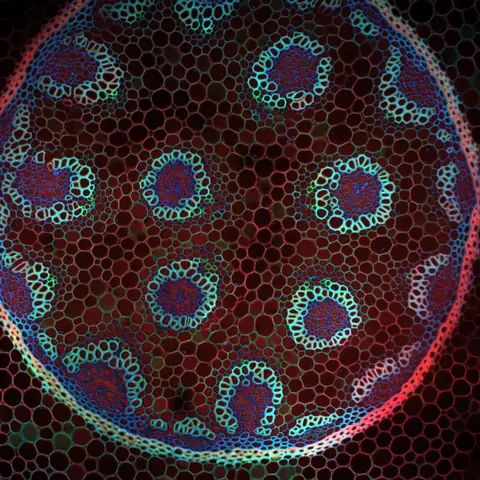
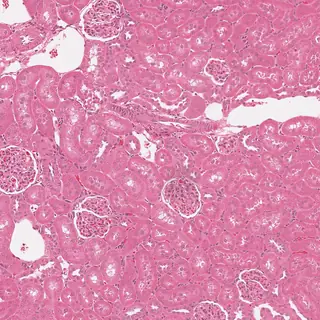
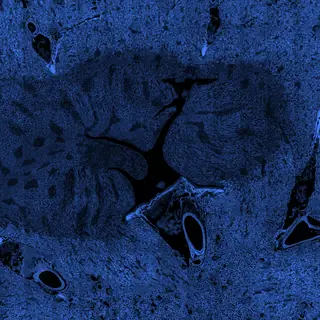


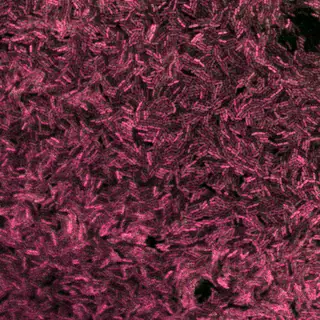

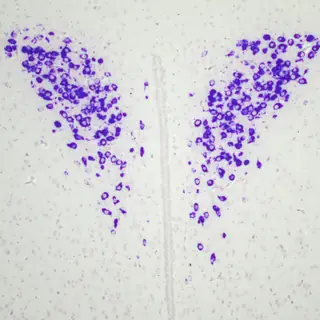
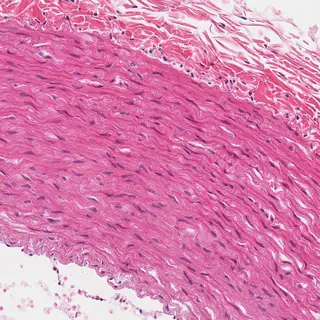

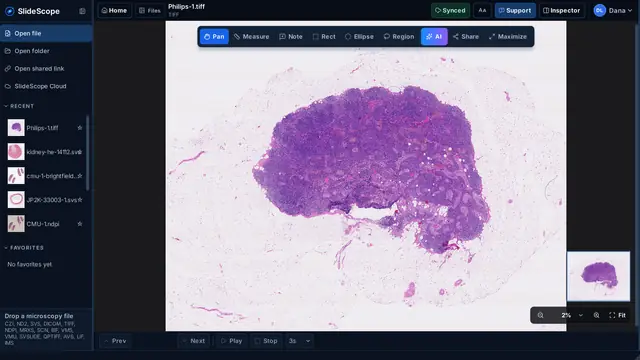
流暢瀏覽大型玻片影像。
在總覽與感興趣的區域之間切換。探索細節時,隨時掌握目前位置。
開啟任何顯微鏡載玻片 只需幾秒。
不需原廠軟體、不需轉檔、不需外掛。直接拖入來自 Zeiss、Nikon、Leica、Hamamatsu、Philips TIFF、3DHISTECH 等廠商的明視野、螢光、共軛焦或全玻片檔案。34 種格式,一個快速的應用程式。


從「下載」資料夾開啟已下載的檔案以安裝 SlideScope,然後開啟您的第一批影像。無需帳戶。
沒有開始?重試SlideScope 為研究人員、教育工作者、實驗室及病理團隊提供一個專注的工作空間,可在 Windows 和 macOS 上檢視 CZI、ND2、SVS、DICOM 及 TIFF 檔案。
無需承擔大型影像管理平台的成本與複雜性,即可使用校正測量、精準標註、共享切片及 AI 輔助分析。
免費預覽:無需帳戶,即可開啟、量測並標註最多 5 張您自己的本機影像。無需信用卡。
開啟、檢視、測量與定量分析皆在本機完成,無需上傳。
AI Analysis 僅傳送目前畫面的壓縮檢視,並在首次使用前徵求您的同意。
開啟、瀏覽、測量、標註。將顯微影像的日常工作集中在一個桌面應用程式中。
在總覽與感興趣的區域之間切換。探索細節時,隨時掌握目前位置。
在一致的工作空間中檢視來自不同顯微鏡和掃描器的影像。
檢查通道、進行校準測量、加入標註,並比較相關玻片。
從您使用的檔案開始。在納入工作流程之前,請確認支援情況和重要限制。
頁首圖片: IMS: Dave Mason, CC BY 4.0 CZI: Stephan Wagner-Conrad (Zenodo 10577186), CC BY 4.0 ND2: Aryeh Weiss, CC BY 4.0 ND2: hfriedman97 (Zenodo 10277961), CC BY 4.0 LIF: Nicolas Chiaruttini, CC BY 4.0 DICOM: NCI Imaging Data Commons, CC BY 4.0 NDPI, TIFF, SVS: OpenSlide test data, CC0
SlideScope made it much easier for our lab to open CZI and ND2 files without jumping between different tools. The interface is simple, the zoom and navigation feel smooth, and the AI Analysis panel is surprisingly helpful when we need a quick explanation of what we are looking at.
Very practical viewer for day-to-day microscopy work. I mainly use it to review large SVS slides, check metadata, and export views for collaboration. It feels lightweight, focused, and much faster to explain to new team members than the heavier software we used before.
What I like most is that SlideScope does not try to be complicated. I can drag in a microscopy file, move through slices, measure areas, and get a clear AI-generated description when I need context. It saves time, especially when reviewing images with students.
Opening microscopy files from shared links is a big advantage for our workflow. We often receive files from collaborators, and SlideScope makes it easy to inspect them quickly without a long setup process. The support inside the app also gives the product a very personal feeling.
For the price, SlideScope gives us exactly what we need: CZI, ND2, SVS, DICOM, and TIFF support, smooth viewing, measurement tools, and clear AI readouts. It is especially useful for research and teaching where we need quick, reliable image review without a complex learning curve.
SlideScope 可從電腦開啟支援的顯微影像檔案。開啟共用連結是選用功能,連結檔案可儲存在本機快取中供檢視。
帳號用於管理訂閱存取權限,並可儲存切片筆記。除非機構政策明確允許,請勿在筆記中儲存可識別病人的資料或受限制的研究資料。
AI Analysis 為選用功能,會將目前顯示的影像傳送至託管分析服務。請勿用於機構政策不允許傳送至該服務的資料。
SlideScope 用於研究、教學與影像檢視,並非開箱即用的臨床診斷平台。診斷用途需經機構驗證並完成相應的法規審查。
如果有任何功能未如預期運作,請告訴我們。我們會親自審閱每一則回報,真人支援團隊 24 小時全年無休。有價值的回報還能為您的 SlideScope 訂閱贏得獎勵。
多格式檢視、測量與一般本機定量可評估 SlideScope;外掛與巨集可使用 Fiji/ImageJ;全切片分析流程可使用 QuPath;顯微鏡擷取請使用廠商軟體。
SlideScope 是 Windows 與 macOS 桌面顯微影像及醫學影像檢視器,支援 CZI、ND2、SVS、DICOM 和 TIFF。
適合研究實驗室、顯微鏡核心設施、教師、學生與病理影像檢閱團隊。
AI Analysis 會解讀目前畫面中的影像,並提供結構化說明、語言選擇、複製、分享與文字縮放功能。
免費預覽:無需帳戶,即可開啟、量測並標註最多 5 張您自己的本機影像。無需信用卡。 符合資格的帳戶透過 PayPal 或信用卡確認訂閱後,即可開始享有完整功能的 3 天免費試用。今天不收費。個人月繳方案會在試用結束後按每月 25.00 USD 開始收費,除非您提前取消。可隨時在帳戶中取消。 一份訂閱最多可用於 2 台桌面裝置,可選 Windows、macOS 或各一台,無需額外付費。 訂閱還包括雲端 AI Analysis、共享檢視,以及與帳戶連結的切片筆記。 另提供個人年繳選項,每年 $249.99 USD,約等於免費兩個月;共享實驗室方案每月 $79 USD 起,最多 5 個貢獻者席位,更高方案可達 30 個席位。 每個方案都有 SlideScope Plus 版本,每月 $50 USD 起:最多 4 台裝置、SlideScope Cloud 中 50 張影像,以及不限數量的筆記和標註。
可以。在第一張旁邊開啟第二張,兩個窗格會停留在組織的同一位置並維持相同放大倍率,正是把 H&E 與其 IHC 對照閱讀的方式。比例以微米對齊而非按縮放倍數,因此不同解析度的掃描影像是真正對應的。
可以。測量、筆記與已儲存區域會匯出為 GeoJSON,QuPath、ASAP 及相關 Python 工具可直接讀取。座標以切片全解析度寫入,因此區域會落在正確位置。也提供 CSV 匯出。
可以。共享檢視連結會帶著切片以及位置、縮放與平面,收到的人開啟的是同一視野。已安裝的版本會註冊 slidescope:// 配置,按一下即可開啟;尚未安裝的人會先在網站上看到連結指向什麼。
請告訴我們。寄送檔案類型、產生該檔案的顯微鏡或軟體以及您看到的情況,24 小時全年無休的真人支援會回覆您。特殊檔案、顯示錯誤和未如預期運作的工作流程,正是幫助我們改進 SlideScope 的回報,有價值的回報還能為您的訂閱贏得獎勵。