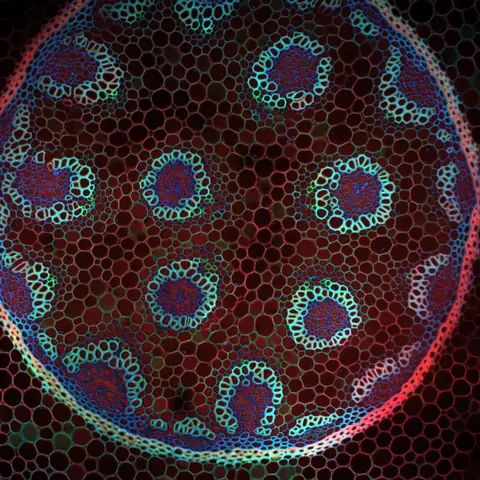
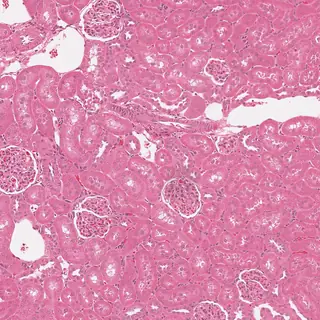
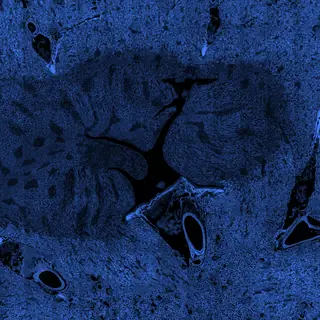


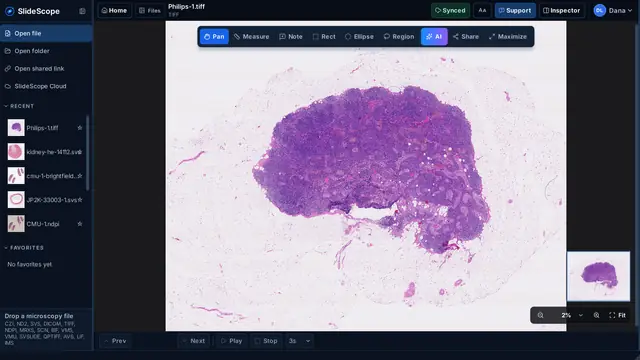
畅览大型切片。
在全局视图和感兴趣区域之间切换。探索细节时,始终掌握当前位置。
打开任意显微镜载玻片 只需几秒。
无需厂商软件,无需转换,无需插件。直接拖入来自 Zeiss、Nikon、Leica、Hamamatsu、Philips TIFF、3DHISTECH 等厂商的明场、荧光、共聚焦或全切片文件。34 种格式,一个快速的应用。


从“下载”文件夹打开已下载的文件以安装 SlideScope,然后打开您的第一批图像。无需账户。
没有开始?重试SlideScope 为研究人员、教育工作者、实验室和病理团队提供一个专注的工作空间,可在 Windows 和 macOS 上查看 CZI、ND2、SVS、DICOM 和 TIFF 文件。
无需承担大型图像管理平台的成本和复杂性,即可使用校准测量、精确标注、共享切片和 AI 辅助分析。
免费预览:无需账户,即可打开、测量和标注最多 5 张您自己的本地图像。无需银行卡。
打开、查看、测量和定量分析均在本地完成,无需上传。
AI Analysis 仅发送当前画面的压缩视图,并在首次使用前征求您的同意。
打开、浏览、测量、标注。将显微成像的日常工作集中在一个桌面应用中。
在全局视图和感兴趣区域之间切换。探索细节时,始终掌握当前位置。
在统一的工作空间中查看来自不同显微镜和扫描仪的图像。
检查通道、进行校准测量、添加标注,并比较相关切片。
从您使用的文件开始。在将其纳入工作流程之前,查看支持情况和重要限制。
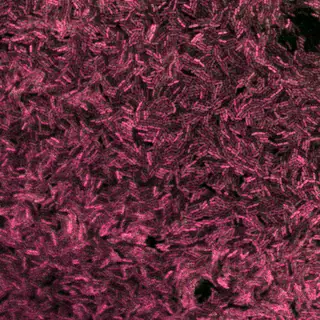
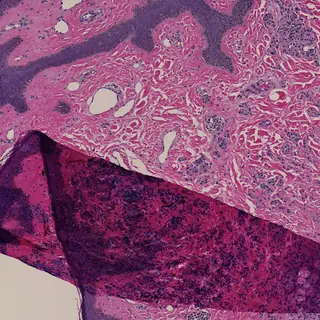
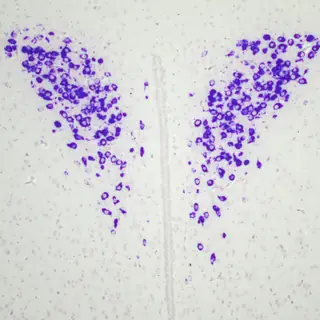
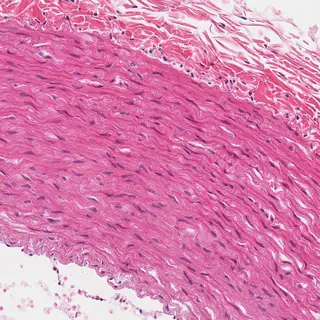
页首图片: IMS: Dave Mason, CC BY 4.0 CZI: Stephan Wagner-Conrad (Zenodo 10577186), CC BY 4.0 ND2: Aryeh Weiss, CC BY 4.0 ND2: hfriedman97 (Zenodo 10277961), CC BY 4.0 LIF: Nicolas Chiaruttini, CC BY 4.0 DICOM: NCI Imaging Data Commons, CC BY 4.0 NDPI, TIFF, SVS: OpenSlide test data, CC0
SlideScope made it much easier for our lab to open CZI and ND2 files without jumping between different tools. The interface is simple, the zoom and navigation feel smooth, and the AI Analysis panel is surprisingly helpful when we need a quick explanation of what we are looking at.
Very practical viewer for day-to-day microscopy work. I mainly use it to review large SVS slides, check metadata, and export views for collaboration. It feels lightweight, focused, and much faster to explain to new team members than the heavier software we used before.
What I like most is that SlideScope does not try to be complicated. I can drag in a microscopy file, move through slices, measure areas, and get a clear AI-generated description when I need context. It saves time, especially when reviewing images with students.
Opening microscopy files from shared links is a big advantage for our workflow. We often receive files from collaborators, and SlideScope makes it easy to inspect them quickly without a long setup process. The support inside the app also gives the product a very personal feeling.
For the price, SlideScope gives us exactly what we need: CZI, ND2, SVS, DICOM, and TIFF support, smooth viewing, measurement tools, and clear AI readouts. It is especially useful for research and teaching where we need quick, reliable image review without a complex learning curve.
SlideScope 可从电脑打开受支持的显微镜文件。打开共享链接是可选操作,链接文件可缓存到本地以便查看。
账户用于管理订阅访问权限,并可保存切片笔记。除非机构政策明确允许,请勿在笔记中存储可识别患者的信息或受限制的研究数据。
AI Analysis 是可选功能,会将当前可见画面发送到托管分析服务。请勿对组织政策不允许发送到该服务的数据使用此功能。
SlideScope 用于科研、教学和影像查看,不作为开箱即用的临床诊断平台提供。用于诊断前需完成机构验证和相应的合规审查。
如果有任何功能未按预期运行,请告诉我们。我们会亲自审阅每一条反馈,真人支持团队 7×24 小时在线。有价值的反馈还可以为您的 SlideScope 订阅赢得奖励。
多格式查看、测量和常规本地定量可评估 SlideScope;插件和宏可使用 Fiji/ImageJ;全切片分析流程可使用 QuPath;显微镜采集请使用厂商软件。
SlideScope 是 Windows 和 macOS 上用于显微图像和医学影像文件的桌面查看器。
适合科研实验室、显微成像平台、教学用户和病理审阅团队。
它读取当前可见图像并返回结构化说明,支持语言选择、复制/分享和文字缩放。
免费预览:无需账户,即可打开、测量和标注最多 5 张您自己的本地图像。无需银行卡。 符合条件的账户在通过 PayPal 或银行卡确认订阅后,可以开始享有完整功能的 3 天免费试用。今天不收费。个人月付方案会在试用结束后按每月 25.00 USD 开始收费,除非您提前取消。可随时在账户中取消。 一份订阅最多可用于 2 台桌面设备,可选 Windows、macOS 或各一台,无需额外付费。 订阅还包括云端 AI Analysis、共享视图以及与账户关联的切片笔记。 还提供个人年付选项,每年 $249.99 USD,约等于免费两个月;共享实验室方案每月 $79 USD 起,最多 5 个贡献者席位,更高档次可达 30 个席位。 每个方案都有 SlideScope Plus 版本,每月 $50 USD 起:最多 4 台设备、SlideScope Cloud 中 50 张图像,以及不限数量的笔记和标注。
可以。在第一张旁边打开第二张,两个窗格会停留在组织的同一位置、保持相同放大倍率,这正是把 H&E 与其 IHC 对照阅读的方式。比例以微米匹配而非按缩放倍数,因此不同分辨率的扫描图是真正对应的。
可以。测量、笔记和已保存区域导出为 GeoJSON,QuPath、ASAP 及相关 Python 工具可直接读取。坐标按切片全分辨率写入,因此区域会落在正确位置。同时也提供 CSV 导出。
可以。共享视图链接会带上切片以及位置、缩放和平面,收到的人打开的是同一视野。已安装的副本会注册 slidescope:// 协议,一键即可打开;没有安装应用的人会先在网页上看到链接指向什么。
请告诉我们。发送文件类型、生成该文件的显微镜或软件以及您看到的情况,7×24 小时在线的真人支持会给您回复。特殊文件、显示错误和未按预期运行的工作流程,正是帮助我们改进 SlideScope 的反馈,有价值的反馈还可以为您的订阅赢得奖励。